A car launch used to be about engines: displacement, horsepower, the growl of an exhaust. Electric vehicles have changed the story. The new drama is quiet, smooth and a little futuristic, and the best launch films reflect that with clean lines, glowing light and a sense of calm confidence. Studios still charge a lot to shoot a hero car in the perfect location.
If you want to create videos with AI, Dreamina offers a way to sketch a launch campaign from a few images, test ideas quickly and polish the strongest ones. This post covers how to plan an EV launch film, how to show technology without drowning viewers in specs, and what Seedance 2.5 brings to automotive visuals.
Buyers of electric cars are weighing a bigger decision than a new paint color. They want to know that the vehicle is practical, that it’s beautiful and that the technology won’t get in the way. A launch film should answer those quiet worries through images. Show the car in everyday settings: a school run, a long highway, a city at night. Show the design, with clean surfaces and thoughtful lighting. Then hint at the technology without explaining it all. The goal is for viewers to feel the car belongs in their future before they’ve read a single number.
Reveal beats for a vehicle launch
An effective launch movie tends to stick to a certain pattern:
- Dark beginning with just a single strip of light
- Slow introduction of the car from the front to its rear side
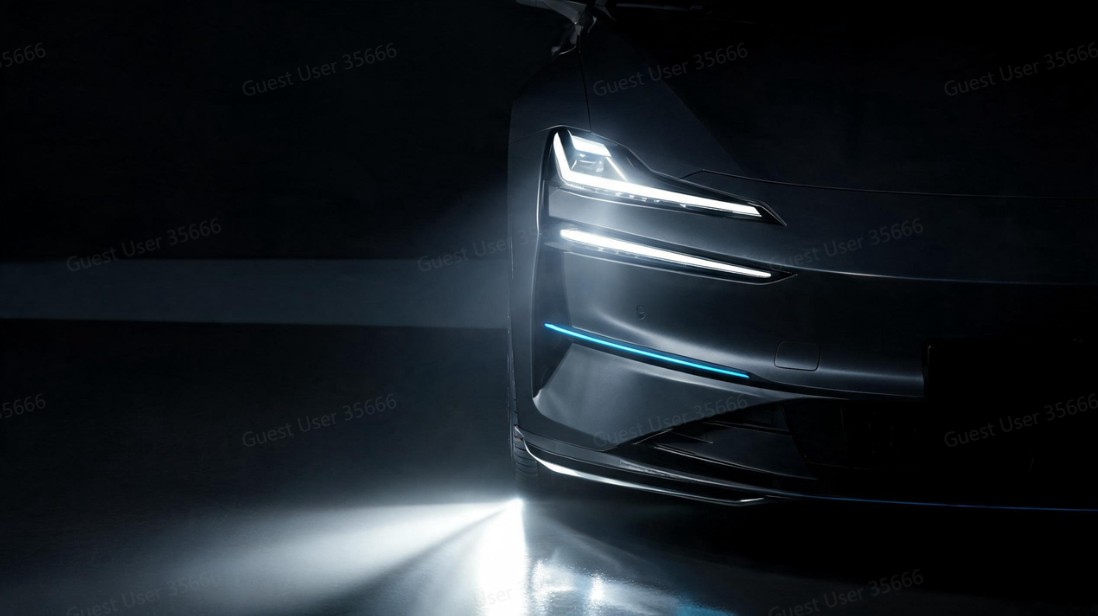
- Close-up shot of one of its unique features, e.g., headlights or wheels
- Trip in an environment matching the nature of the car
- Wide shot with its logo and slogan
Seedance 2.5 improvements for automotive visuals
Cars are unforgiving. Reflections, curves and movement all need to look right, and a few upgrades in Seedance 2.5 are especially relevant.
Spatial coherence at speed
In dynamic sequences, objects keep stable relationships, so the car stays the same shape as it moves through a scene and the road, buildings and reflections stay where they belong.
Changing the angle after the fact
If a shot doesn’t quite work, spatial perspective modification can change the camera angle of an existing clip, with the model extrapolating detail for the new view. A front view of a car can become a low three-quarter angle.
Removing what shouldn’t be there
Region-level editing lets you remove or change specific elements without re-rendering the entire video. If a stray sign, a reflection or an unwanted object appears beside the vehicle, you can take it out and keep the rest of the shot.
A more natural, less artificial finish
Overall base quality has improved, with a reduced “AI look” and more physical texture. Paint, glass and wet asphalt feel more like real materials, which matters when the product is a highly polished object.
Step by step: creating a launch film
Step 1: Write a text prompt
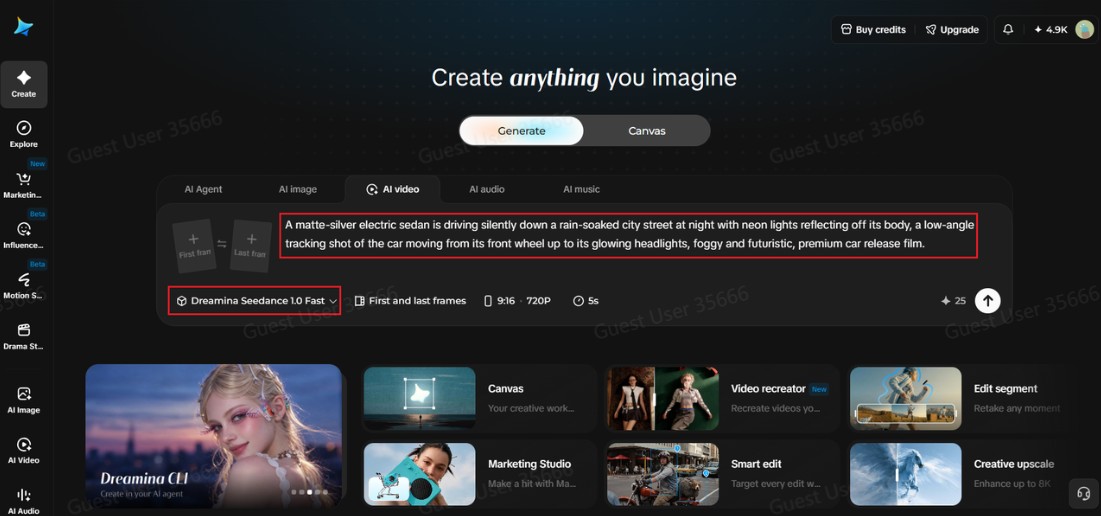
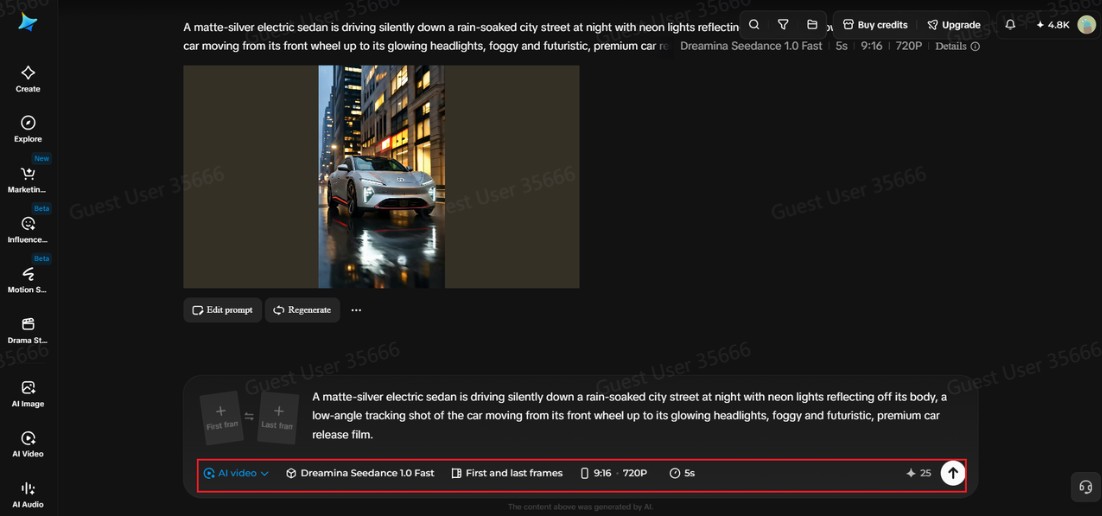
Log in to Dreamina and go to “AI Video.” Then write a text prompt.
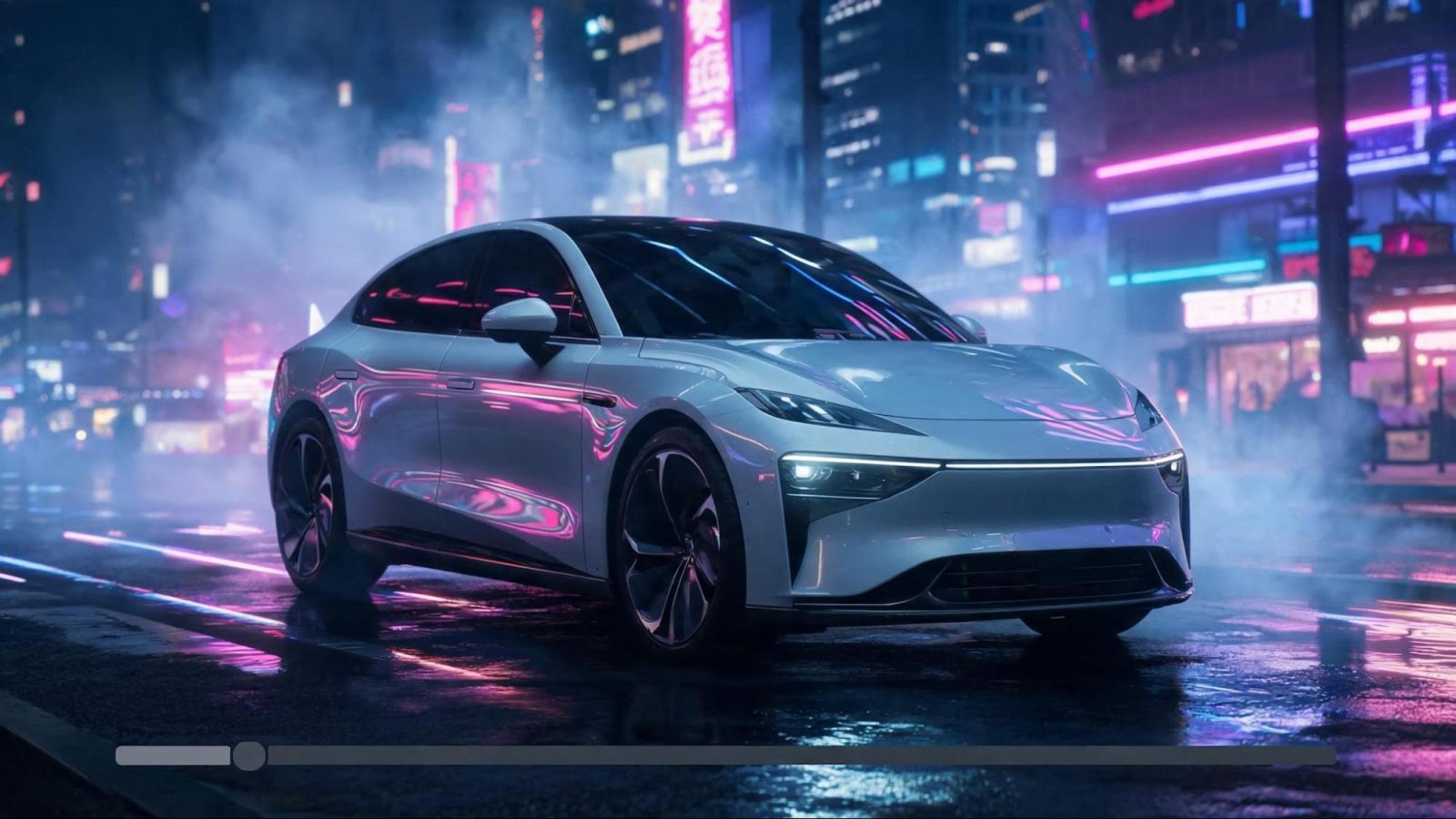
For instance: A matte-silver electric sedan is driving silently down a rain-soaked city street at night with neon lights reflecting off its body, a low-angle tracking shot of the car moving from its front wheel up to its glowing headlights, foggy and futuristic, premium car release film.
Step 2: Create your video
In order to generate your video, you will need to choose the Seedance 2.5 model, pick your video length and then a suitable aspect ratio, 16:9 for YouTube and launches and 9:16 for TikTok and Reels. Then, press on the Dreamina logo and wait a few seconds.
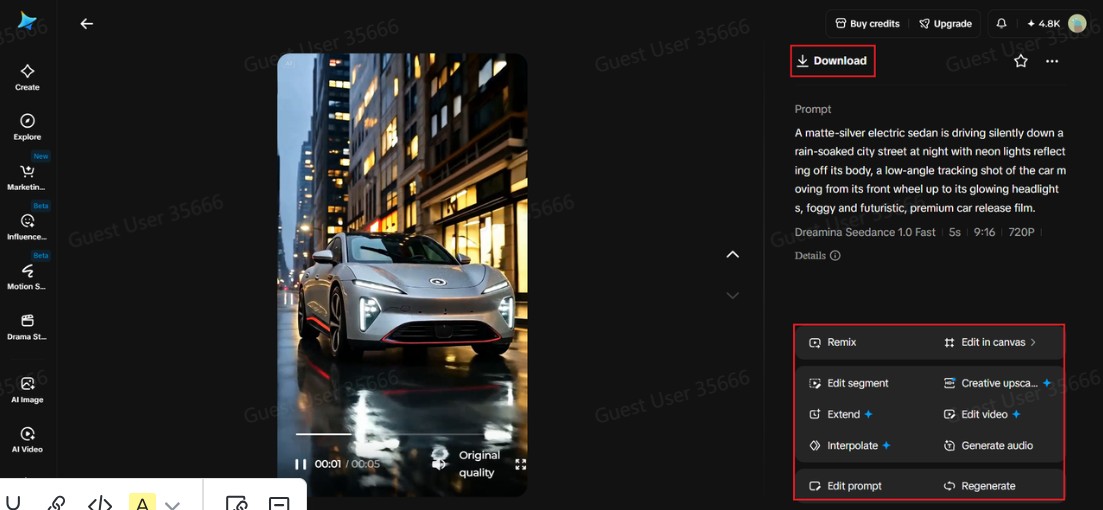
Step 3: Edit and export video
Enhance your video using AI editor in Dreamina. Select Upscale to improve resolution and make sure your reflections and paint remain clear, also select Generate soundtrack to create an electronic background music with gentle humming. Now, export your video.
Light, reflections and the shape of the car
A car is basically a sculpture covered in reflections, so the light decides how it looks. Long, soft highlights along the body emphasize clean lines, while a sharp rim light on the roof defines the silhouette. Wet roads add extra shine and give the vehicle a mirror image beneath it. Avoid harsh, flat lighting, which can make even a great design look ordinary. Decide on one color story, such as cool blue and silver, and keep it consistent. And watch the edges. When you review a Draft or a finished clip, check that the outline of the car stays steady from every angle.
Showing technology without a spec dump
There are numerous figures associated with electric cars, but not all of them can be included in the launch video. Use pictures to imply what is important:
- Silent startup of the car to demonstrate silent power
- Luminous charging station that gives off a light glow
- Comfortable and cozy interior with the neat dashboard
- A long road at dusk implying range
- Close-up of a sensor or camera smoothly integrated into the design
Motion: speed, silence, and the electric hum
Electric cars sound different, and that’s part of the story. Instead of roaring, the soundtrack can be a quiet, rising hum, with sleek electronic textures and a soft swish of tires on wet road. Slow the pace compared with a traditional performance ad, and let the camera glide. A confident car doesn’t need frantic cuts. When you want to show acceleration, use a single sweeping shot rather than a flurry of quick ones, and let the sound build rather than explode. If you’re using Generate soundtrack, choose something with warmth, so the film feels welcoming and not cold.
Final thoughts on launching a car with AI
The best electric vehicle campaigns feel calm, confident and a little bit magical. With a strong still, a clear reveal and the polish of Seedance 2.5, you can create videos with AI that make a car look like it belongs in tomorrow’s streets. Keep the lighting precise, the pace unhurried and the claims honest. Then upscale, add a soft electronic soundtrack and let the silhouette do the talking.